
Faceit Finder
Search for CS2/CSGO player stats or compare two players.
What Is Faceit Finder?
Faceit Finder is a free CS2 stat lookup tool that retrieves any public FACEIT profile using a Steam ID, Steam URL, or FACEIT username — no sign-in required.
Enter a player’s identifier and get their ELO rating, FACEIT level, win rate, K/D ratio, headshot percentage, and last five matches. The whole process takes under five seconds.
FACEIT is the leading third-party competitive platform for CS2, running its own ELO-based ranking system entirely separate from Valve’s Premier matchmaking. Millions of serious players use it for cleaner, more competitive games. Faceit Finder bridges the gap FACEIT’s own interface leaves open: searching profiles by Steam ID, quickly, without extra steps.
Alt text for image:
A CS2 player using Faceit Finder on dual monitors to check opponent stats before a match
Features Section
FACEIT is the dominant third-party competitive platform for CS2. It runs its own ELO-based ranking system, separate from Valve’s in-game Premier matchmaking. Millions of serious players use it to escape cheaters and find more structured competition. Faceit Finder exists because FACEIT’s own profile pages aren’t easy to search by Steam ID — and players need that bridge constantly.

What Faceit Finder Shows You
✅ Easy To Use
Enter a player’s FACEIT username or Steam ID and get a full profile breakdown immediately. No tutorials. No setup. Just results.
✅ In-Depth Player Stats
Access detailed performance data including K/D ratio, headshot percentage, win rate, and per-map breakdowns — everything you need to assess a player accurately.
✅Live ELO Tracking
See a player’s current ELO points and FACEIT level at a glance. Understand exactly where they sit in the competitive hierarchy before you queue up.
✅ Recent Match History
View the last five matches played, including scores, teammates, and individual performance. Spot hot streaks, slumps, and patterns fast.
✅Core Performance Indicators
Track the stats that actually matter — Headshot %, K/D Ratio, Win Rate, and Trust Factor. These numbers directly influence your ELO trajectory and competitive standing.
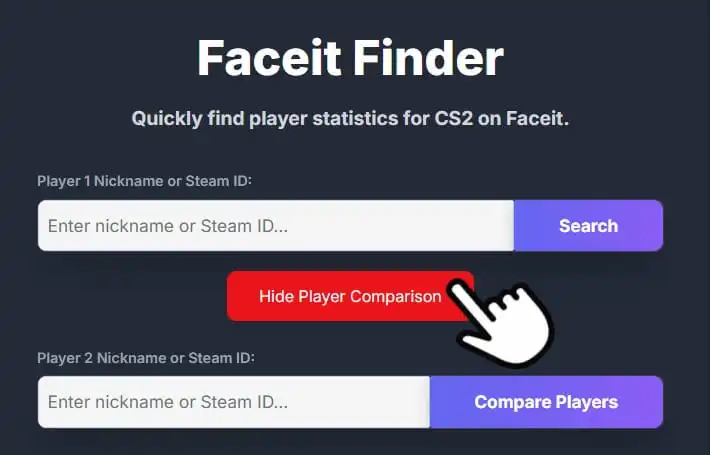
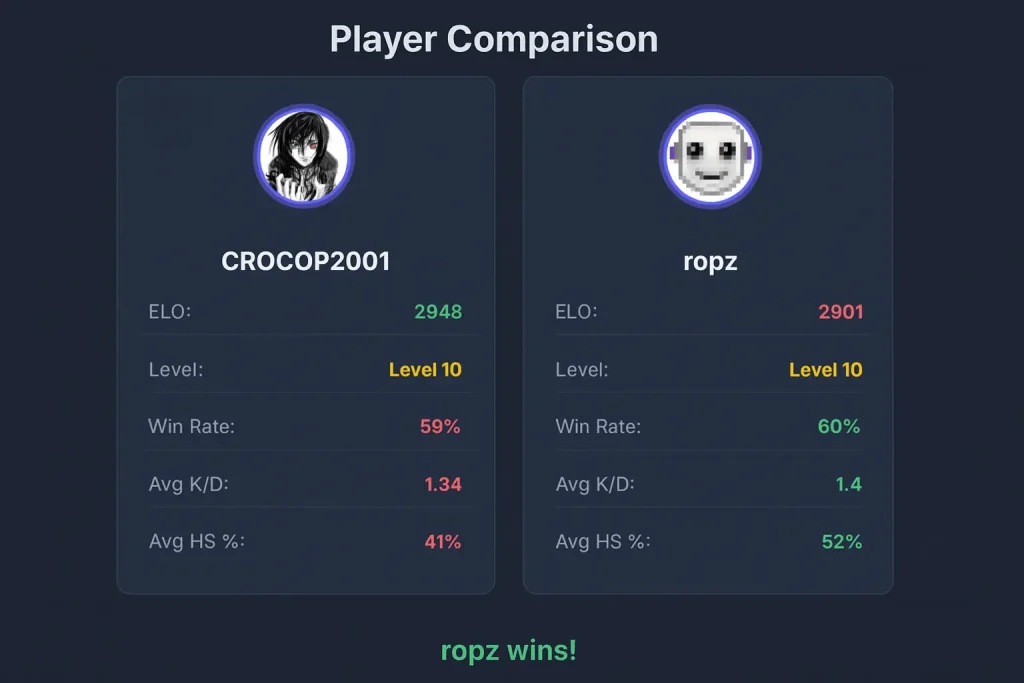
✅ Side-by-Side Player Comparison
Compare two players at once — teammates, opponents, or rivals. See who has the edge across every key metric before or after a match.
✅ Opponent Scouting
Get a detailed breakdown of any opponent’s strengths and weaknesses. Know who you’re up against before the first round starts.
✅ Fair Search Limits
Search up to four players in a row, then wait 15 seconds before continuing. This keeps the tool fast and reliable for everyone using it.
How to Use Faceit Finder
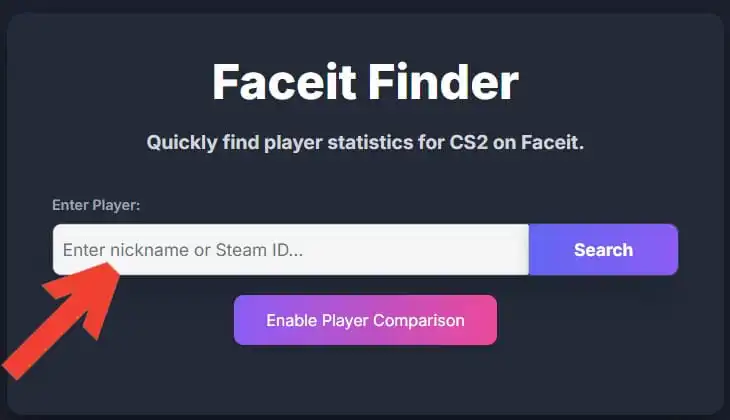
1. Open the Tool
Visit Faceit Finder in your browser — no download, no install, no account required.
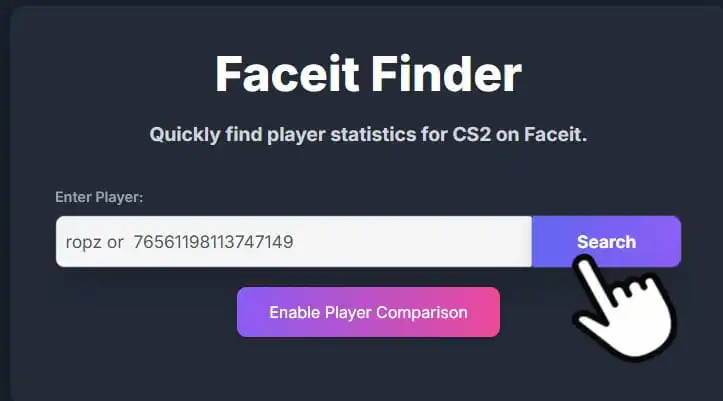
2. Enter a Player Identifier
Type in a FACEIT username, Steam ID, or Steam profile URL to pull up any player’s profile.
3. Auto-Match Steam Accounts
Searching by Steam? Faceit Finder automatically links the Steam account to its associated FACEIT profile.
4.Review Player Stats
Your results load instantly: ELO rating, FACEIT level, K/D ratio, win rate, headshot percentage, and smurf likelihood.
5. Explore Match History
Click into any recent match to see round-by-round performance data and who the player shared a server with.
6. Scout Before You Queue
Check teammates and opponents before the match begins. Know who brings value — and who to watch out for.
7. Track Progress Over Time
Return after each session to see how stats are shifting. Consistent tracking is how players spot real improvement.
👉 Screenshots…

Pros & Cons of Faceit Finder
Pros
Cons
My Personal Experience
After using different tools, I personally found Faceit Finder to be the most reliable option for checking CS2 and CSGO player stats without unnecessary distractions or intrusive ads. I have personally been using this tool for the past 3 months, and I haven’t felt any issues while tracking stats except for the search limit. It hasn’t shown me annoying ads and unwanted pop-up visuals, which saves my time and energy. In this article, I have discussed many aspects of Faceit Finder, which help you know about this incredible tool.